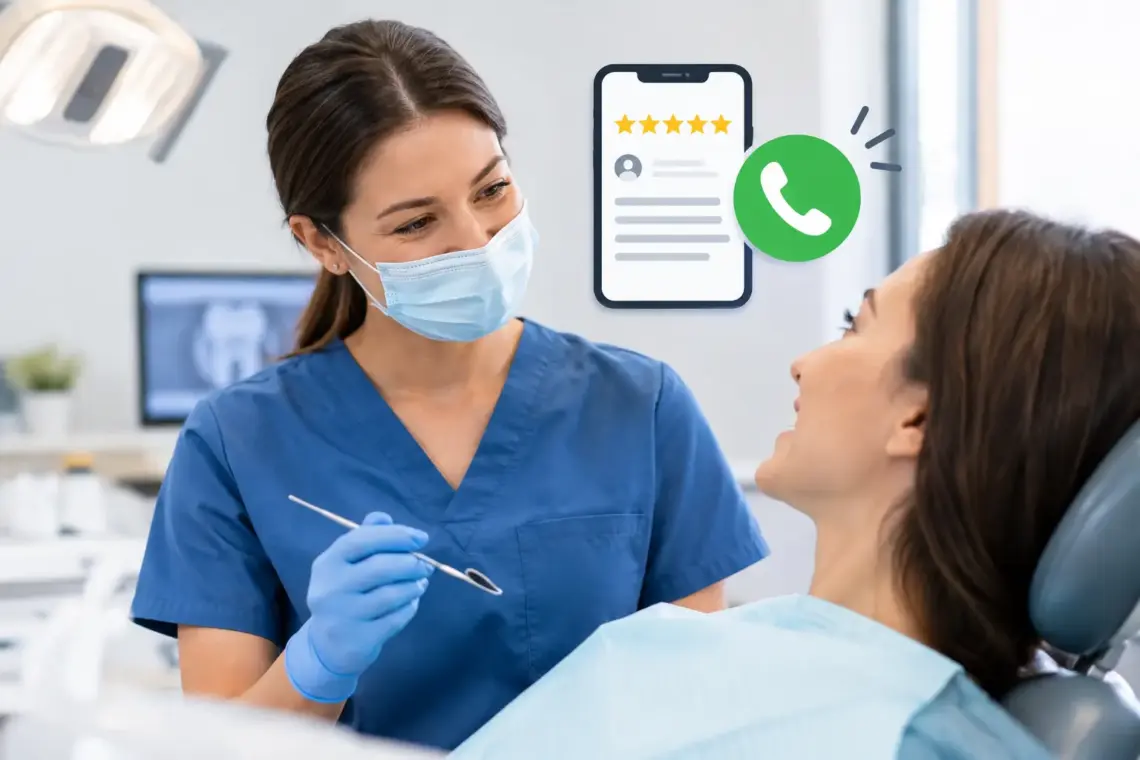
Dentist Google Reviews Strategy for More Calls
A patient searches “dentist near me,” sees three offices on Google Maps, and makes a quick decision. They look at star rating, review count, recent comments, and whether the practice replies. A dentist Google reviews strategy is not about chasing five-star ratings. It is about giving qualified local patients enough proof to call your office instead of the practice down the street.
For a dental practice, reviews affect visibility and conversion at the same time. More legitimate, recent reviews can strengthen your Google Business Profile. Clear, detailed patient feedback also makes a nervous new patient feel safer booking an appointment.
Why Google reviews lead to more dental appointments
Most people do not know which dentist to choose. They may need a cleaning, have a toothache, want an implant consultation, or need a family dentist. Google Maps gives them a short list, and reviews help them narrow it down fast.
A profile with 14 reviews from several years ago creates hesitation, even with a high rating. A profile with steady recent reviews that mention friendly staff, gentle care, clear treatment plans, easy scheduling, or a clean office gives people specific reasons to choose you.
Reviews also help your practice show up better for local searches. They are one piece of local SEO, along with your Google Business Profile categories, services, website, location relevance, and accurate business information. They will not fix a weak profile or a slow website by themselves. But when the rest of your local presence is in order, consistent reviews can help you compete in the map results.
The goal is simple: earn a reliable flow of honest feedback from real patients, then make sure your profile turns that trust into calls and appointment requests.
Build a dentist Google reviews strategy around timing
The best time to request a review is shortly after a positive patient experience. Do not wait two weeks and hope they remember. By then, the visit is less top of mind and your request can feel random.
For most practices, the best trigger is after the appointment is complete and the patient has had a good interaction with the team. A routine cleaning, successful filling, consultation, or completed treatment can all work. For more involved care, such as a crown, implant, or orthodontic treatment, ask when the patient expresses relief or satisfaction with the result.
Your front desk team should listen for natural signals. If a patient says, “That was much easier than I expected,” or “Everyone was so helpful,” that is a good moment to say, “We are glad to hear that. Would you be open to sharing that in a Google review? It helps local families find our office.”
Then send the review request by text or email within a few hours. Text usually gets faster responses because patients can tap the link while the visit is still fresh. Email is still useful for patients who prefer it or for a second, polite follow-up.
Do not rely on a sign at the front desk alone. It can support the process, but it will not create consistent volume. The request needs to be part of your checkout workflow.
Keep the request short and personal
Long messages get ignored. Your request should make the next step obvious and take less than a minute to read.
Use language like this:
“Hi [First Name], thank you for visiting [Practice Name] today. If our team made your visit a good experience, would you leave us a quick Google review? Your feedback helps other local patients find us. [Review Link]”
Avoid offering discounts, gift cards, or entries into a drawing in exchange for a review. Do not pressure patients to leave five stars. And do not only send requests to patients you believe will say something positive. Those shortcuts can create trust issues and may violate platform rules.
Ask every appropriate patient for an honest review. Your job is to improve the experience, not control the feedback.
Make review requests easy for your team to repeat
A review strategy breaks down when it depends on one staff member remembering every day. Assign ownership and make the process simple enough to run during a busy schedule.
Start by choosing who sends requests. In a small practice, this may be the front desk lead or office manager. They should have one approved text template, one email template, and one direct Google review link. Nobody should have to search for the profile or write a message from scratch.
Set a clear rule for when the request goes out. For example, send it after checkout for completed appointments unless the patient had an unresolved issue, expressed frustration, or needs follow-up care before they are satisfied. This is not review filtering. It is basic patient service. If there is a problem, solve it first.
Review results once a week. Look at how many requests were sent, how many new reviews came in, the average rating, and any recurring comments. If you send 40 requests and get two reviews, the issue may be timing, an outdated link, or staff not clearly asking for the review.
A steady pace matters more than a one-time push. Ten real reviews over several months generally look more credible than ten reviews that appear in one weekend and then nothing for a year.
Give patients useful prompts without scripting their review
Some patients want to help but do not know what to write. You can make it easier without telling them what to say.
When your team asks in person, mention a few areas they can comment on if they choose: how easy it was to schedule, how the staff treated them, how clearly treatment was explained, or how comfortable they felt. These details are useful to future patients because they answer the concerns people actually have before booking a dentist.
Do not hand patients a script that asks for specific keywords or a five-star rating. Reviews should sound like real people. A mix of natural language is more believable and more helpful than a page full of nearly identical comments.
If your practice offers different services, relevant details will develop naturally over time. Someone may mention an emergency visit, another may mention their child’s first appointment, and another may mention dental implants or a cleaning. That variety gives prospective patients a clearer picture of what your office does well.
Respond to every review, including the difficult ones
Replying shows that your office pays attention. It also gives prospective patients another view of your professionalism. Keep responses brief, warm, and free of patient details.
For a positive review, thank the patient by first name if it is visible, mention that you appreciate their feedback, and keep it human. You do not need to repeat the same generic sentence every time.
For example: “Thank you, Maria. We are glad our team helped you feel comfortable during your visit. We appreciate you choosing our practice.”
Negative reviews require a calmer approach. Never argue, point out what the patient got wrong, or discuss treatment details publicly. Even if the review feels unfair, future patients are watching how you handle it.
A practical response is: “We are sorry to hear your visit did not meet expectations. Patient care matters to our team, and we would appreciate the opportunity to learn more and address your concerns. Please contact our office and ask for [Name].”
Then take the conversation offline. Document what happened, contact the patient when appropriate, and look for a service issue that needs attention. A negative review can expose a real problem with wait times, billing communication, scheduling, or staff handoffs. Fixing that problem protects more than your star rating.
Turn your Google Business Profile into a stronger conversion tool
Reviews get attention, but your profile must give people a reason to act. Make sure your practice name, phone number, hours, website, appointment options, services, and office photos are current. If you serve families, offer emergency care, or provide implant consultations, those services should be easy to find.
Check your profile from a patient’s perspective on a phone. Can someone call in one tap? Can they see your location, parking information, office photos, and recent reviews? Does the business description explain what makes the practice a good fit without making vague claims?
This is where many practices lose appointments. They work hard to collect reviews, then send potential patients to a profile with old hours, no recent photos, or a website that makes booking difficult. The review earned the click. Your profile and website need to earn the call.
Measure appointments, not just star ratings
A 4.9 rating looks good, but it is not the business result. Track whether Google is producing calls, direction requests, website visits, form submissions, and booked appointments.
Ask new patients how they found you, and train your staff to record the answer consistently. If “Google reviews” comes up often, you know the process is influencing real decisions. If reviews are increasing but calls are flat, look at your map visibility, service areas, profile completeness, and website conversion path.
For Tampa dental practices and other local offices, the strongest results usually come from combining review generation with a well-managed Google Business Profile and pages built around the services patients are searching for. It depends on your market and location, but the principle stays the same: make it easy for nearby patients to find you, trust you, and contact you.
Start with one change this week. Put the review request into your checkout process, give your team the exact message, and review the results after 30 days. Consistent patient trust is built one real appointment at a time.


You May Also Like

Best CRM for Local Contractors That Books Jobs

How to Request Customer Reviews and Get More