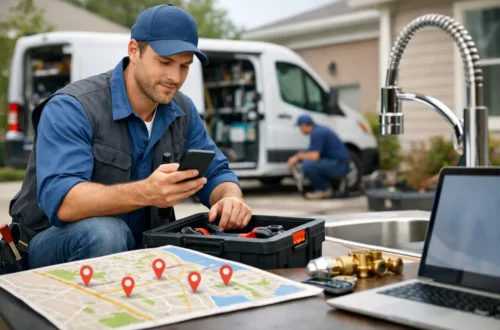
How to Improve Website Conversion Results for More Calls
A website can rank on Google, get visitors, and still fail to produce enough calls. That usually is not a traffic problem. It is a conversion problem. Better website conversion results come from making it easy for a local customer to understand what you do, trust you, and contact you without thinking too hard.
For a plumber, roofer, dentist, HVAC company, or real estate agent, the goal is not more page views. The goal is more phone calls, form submissions, and booked appointments from people who are ready to hire.
A high-converting website does not need flashy design, long videos, or clever wording. It needs to answer the questions a serious prospect has in the first few seconds: Can you help me? Do you serve my area? Can I trust you? What do I do next?
Start With the Page Your Leads Actually See
Many small businesses focus on the homepage first. That matters, but your service pages often do more of the selling. A person searching “AC repair Tampa” or “emergency plumber near me” may land directly on a service page from Google. If that page is vague, they leave and call someone else.
Each core service should have its own page. An HVAC company should not rely on one general page that says it handles heating and cooling. It needs clear pages for AC repair, AC installation, maintenance, heating repair, and any other service that drives real revenue.
The top section of each page should state the service, the location or service area when relevant, and the next action. For example: “Fast AC Repair in Tampa Bay. Call now to schedule service.” That is clearer than “Quality Comfort Solutions You Can Trust.”
Your visitor should not have to scroll to find out what you offer. Put the service name, a direct benefit, and a visible call button near the top. On mobile, where many local searches happen, the phone number should be easy to tap.
Make the Next Step Obvious
A common reason websites lose leads is simple: they offer too many choices or no clear choice at all. A visitor sees a menu, a paragraph about the company, several stock photos, and a small contact button in the corner. Nothing tells them what to do now.
Pick one primary action per page. For urgent services, that is usually “Call Now.” For planned work, such as a roof inspection, dental consultation, or remodeling estimate, it may be “Request an Estimate” or “Book an Appointment.”
Use the same action throughout the page. If the top button says “Get a Free Estimate,” do not switch to “Contact Us,” “Learn More,” and “Schedule Today” in different sections. Consistent language reduces hesitation.
This does not mean every visitor must call. Some people prefer forms, especially during work hours or after business hours. Give them both options, but make the priority clear. A strong setup often includes a tap-to-call button, a short form, and a clear expectation for response time.
If you say “We respond fast,” make sure someone actually does. A lead that waits until tomorrow may already have hired a competitor.
Remove Friction From Your Forms
Long forms cost leads. If someone needs help with a leaking pipe, they are not interested in completing a detailed questionnaire before speaking with a person.
For most local service businesses, ask for only what you need to start the conversation: name, phone number, email, service needed, and a short message. If you need more details, collect them on the phone.
Make the form easy to use on a phone. Large fields, readable text, and a clear submit button matter more than fancy effects. Avoid required fields that are not necessary. Do not force someone to choose from a complicated dropdown if a simple message box will do.
After the form is submitted, show a clear confirmation. Tell the person what happens next, such as: “Thanks. Our team will call you shortly to discuss your service request.” Then follow through.
Speed matters here. A missed form submission is not just a missed lead. It is often a customer who is actively looking for another provider.
Build Trust Before You Ask for the Call
Local customers are cautious, especially when the job is expensive or urgent. They want proof that you are real, qualified, and responsive. Your website needs to provide that proof without burying it in a long About page.
Place trust signals close to the areas where people make decisions. That can include real customer reviews, before-and-after project photos, licenses or certifications when applicable, years in business, financing availability if offered, and service area details.
Real photos are especially useful. A roofing company with photos of actual crews and completed roofs will usually feel more credible than a site filled with generic images. The same is true for dental practices, contractors, and home service companies. People want to see the business they may invite into their home or trust with their care.
Testimonials should be specific when possible. “They showed up the same day and fixed our AC before dinner” is stronger than “Great company.” You do not need dozens of testimonials on every page. A few well-placed, believable reviews can do more than a wall of generic praise.
Improve Website Conversion Results on Mobile First
Most local prospects will visit your website from a phone. They may be standing in a hot house, sitting in their car, or searching during a break at work. They will not wait for a slow page or pinch and zoom to read tiny text.
Test your own site on a phone. Can you find the phone number immediately? Can you request service in under a minute? Is the text easy to read? Does the page load quickly on cellular data?
Four problems show up often on local business websites:
- The call button is missing or hard to find.
- The first screen is taken up by a large image with no clear offer.
- Contact forms are too long or broken on mobile.
- Important service and location details are hidden several scrolls down.
Fixing these basics can improve results without adding more traffic. That is why conversion work should happen alongside SEO, not after it. More Google visibility is valuable, but it produces better returns when the page is ready to turn searchers into leads.
Match the Message to Search Intent
Not every visitor is at the same stage. Someone searching “best roofing material” may be researching. Someone searching “roof leak repair Tampa” likely needs help soon. Your website should recognize the difference.
High-intent service pages need direct language. Explain the service, the problems you solve, the areas you serve, what the customer can expect, and how to contact you. Keep the page focused on the job the person searched for.
Do not send every Google visitor to a generic homepage. If your Google Business Profile, local SEO work, or paid search brings in a lead for water heater replacement, send that person to a water heater replacement page. The message should match from search to landing page to call-to-action.
This also helps you identify what is working. If AC repair pages generate calls but installation pages get traffic without leads, review the installation page. Is the offer clear? Does it explain financing or the estimate process? Does it include proof from past installs? The answer is not always more traffic.
Track Calls, Forms, and Booked Jobs
You cannot improve what you do not measure. Website visits are useful, but they are not the result. Track phone calls, form submissions, appointment requests, and, when possible, which leads become paying jobs.
This shows where the real gaps are. A page with low traffic and a high call rate may deserve more SEO attention. A page with high traffic and no calls may need a stronger offer, better trust signals, or a clearer call button.
Keep the review simple. Once a month, look at which services drove leads, which pages were weak, and whether your team responded quickly. Do not get stuck in reports full of marketing terms. Ask one practical question: did the website produce qualified opportunities this month?
SparkHive builds conversion-focused websites around that question. The goal is not to make your business look busy online. The goal is to help ready-to-buy local customers call, submit a form, and book.
Treat Follow-Up as Part of the Website
A website does not stop working when someone submits a form. The follow-up process is part of your conversion system. If calls go unanswered, voicemail is full, or web leads sit for hours, your website will appear to underperform even if it is generating interest.
Set a clear process for new leads. Decide who answers calls, who receives form alerts, and how quickly someone follows up. For smaller teams, automated text or email confirmations can help make sure no request disappears during a busy day.
The best website conversion results come from a simple chain: a person finds you, sees the right service page, trusts what they see, takes one clear action, and gets a fast response. Start by fixing the biggest break in that chain. One clearer page or faster callback can create more booked work than another month of hoping referrals stay steady.


You May Also Like

Best Website Features Contractors Need for More Calls

Chiropractor Review Request System That Gets Results